Mindfulness bell & prayer for iPhone
A bell at random moments. Never clustered.
Awake Bell rings softly inside the hours you choose, at times you can’t predict, always well apart. Pause, breathe or pray, then carry on.
Tomorrow's bells
Bells at 9:41, 10:48, 11:40, 13:52, 15:06, 16:31, 18:14, 19:47
Random, never clustered
Every bell is at least your minimum gap from the last. You’ll never get five bells in four minutes.
It keeps ringing
Bells are queued days ahead and ring with the app closed. If the queue runs low, Awake Bell tells you.
Your words
Mindfulness prompts, Christian prayer, Dhikr, gratitude, or a few lines you write yourself.
How it works
Set it once. The bell finds you.
- 1
Choose your hours
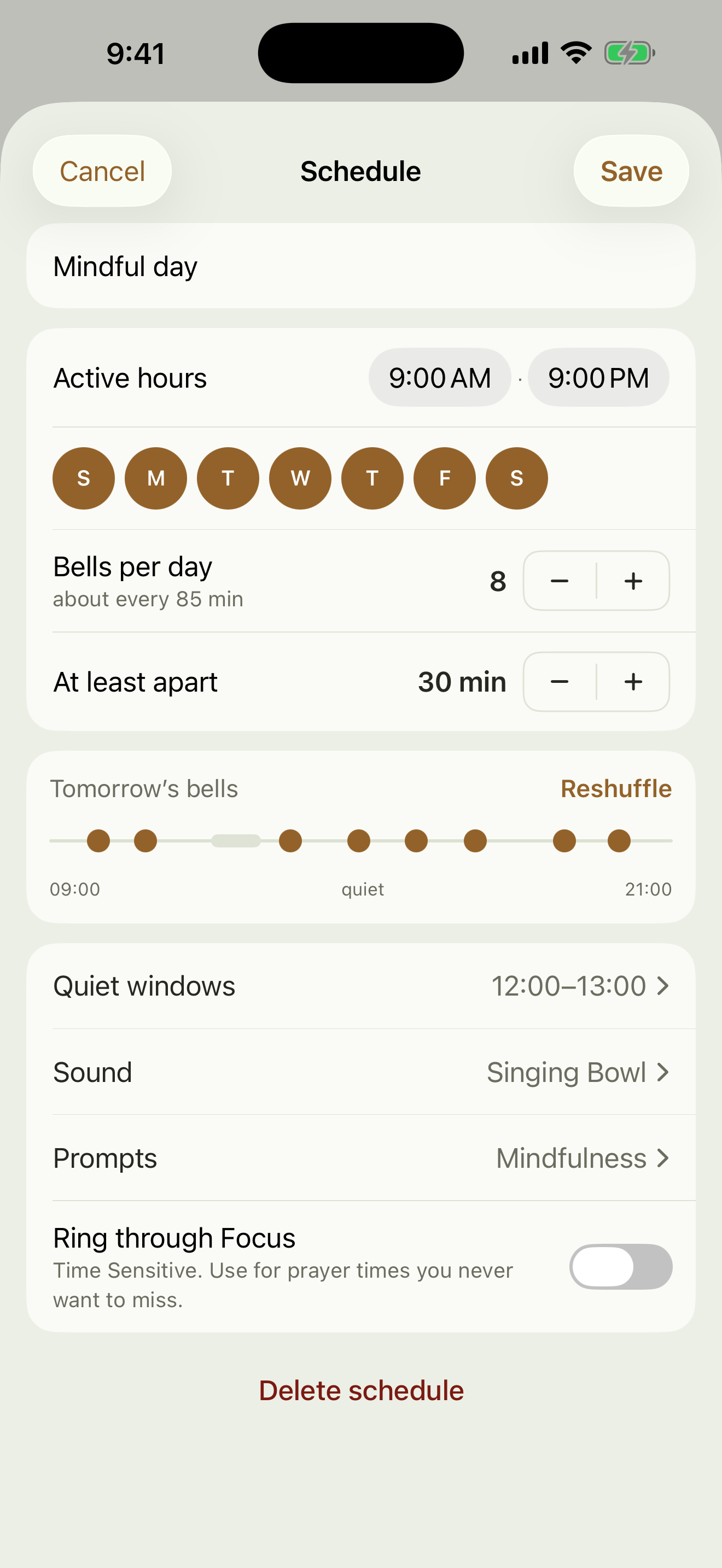
Say 9 to 9 on weekdays, 8 bells, at least 30 minutes apart. Add a quiet window for lunch or a meeting.
- 2
The bell rings at a time you can’t guess
A short sound and a line to come back to, on the lock screen, even with the phone in your pocket.
- 3
Pause, then tap
Tap Paused ✓ on the notification. That’s the whole check-in.
Mindfulness or prayer
The words that come with the bell are yours to choose.
Five built-in sets, written for Awake Bell, with scripture from public-domain translations. Or write your own.
Breathe in. Breathe out. Where is your attention?
Soften your shoulders. Feel your feet on the ground.
Look around. Find something blue.
“Be still, and know that I am God.” Psalm 46:10
Jesus, I trust in you.
Lord, make me an instrument of your peace today.
SubhanAllah. Glory be to God.
Alhamdulillah. All praise is for God.
Bismillah. In the name of God.
Pause. Give thanks for one thing in front of you.
Name one person you are grateful for today.
What is going well right now?
Write the words the bell shows: a name to pray for, a line to remember, a question to come back to.
Eight bells
Hear them before you choose.
Each one is short and soft, under 25 seconds, with a softer version for quiet rooms. Free includes the first three.
- Singing Bowl12 sFree
- Temple Bell9 sFree
- Chime2 sFree
- Small Bell2 sPro
- Gong14 sPro
- Wood Block1 sPro
- Rain Stick7 sPro
- Breath4 sPro
Delivery Health
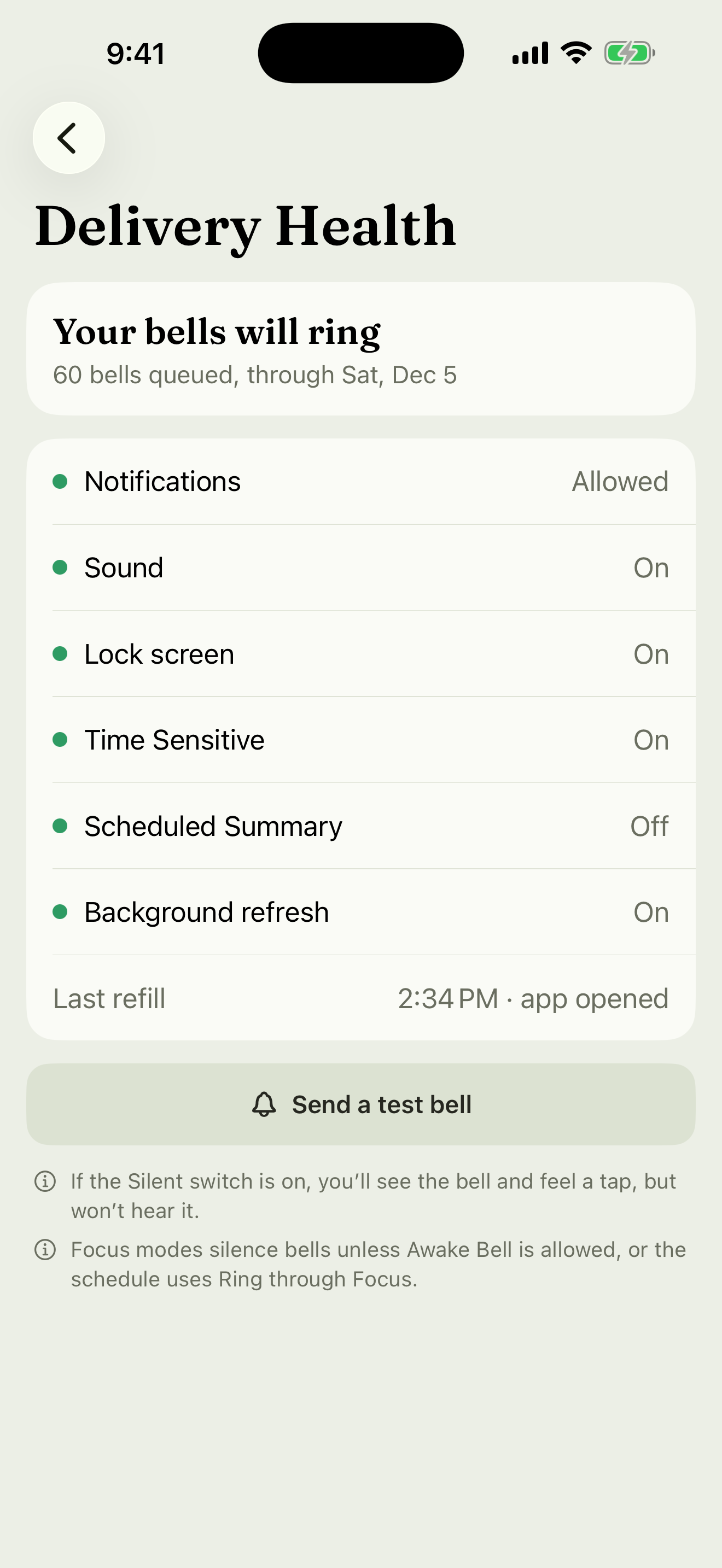
When a bell won’t ring, it tells you why.
- Silent switch, Focus, Scheduled Summary. Each is checked and explained in plain words.
- Send a test bell and see it on your lock screen a few seconds later.
- Keeps going for days. If you don’t open the app for a while, one notification asks you to tap so the next days are queued.
- Never behind a paywall. Reliability is free for everyone.
Check-ins
One tap to say you paused.
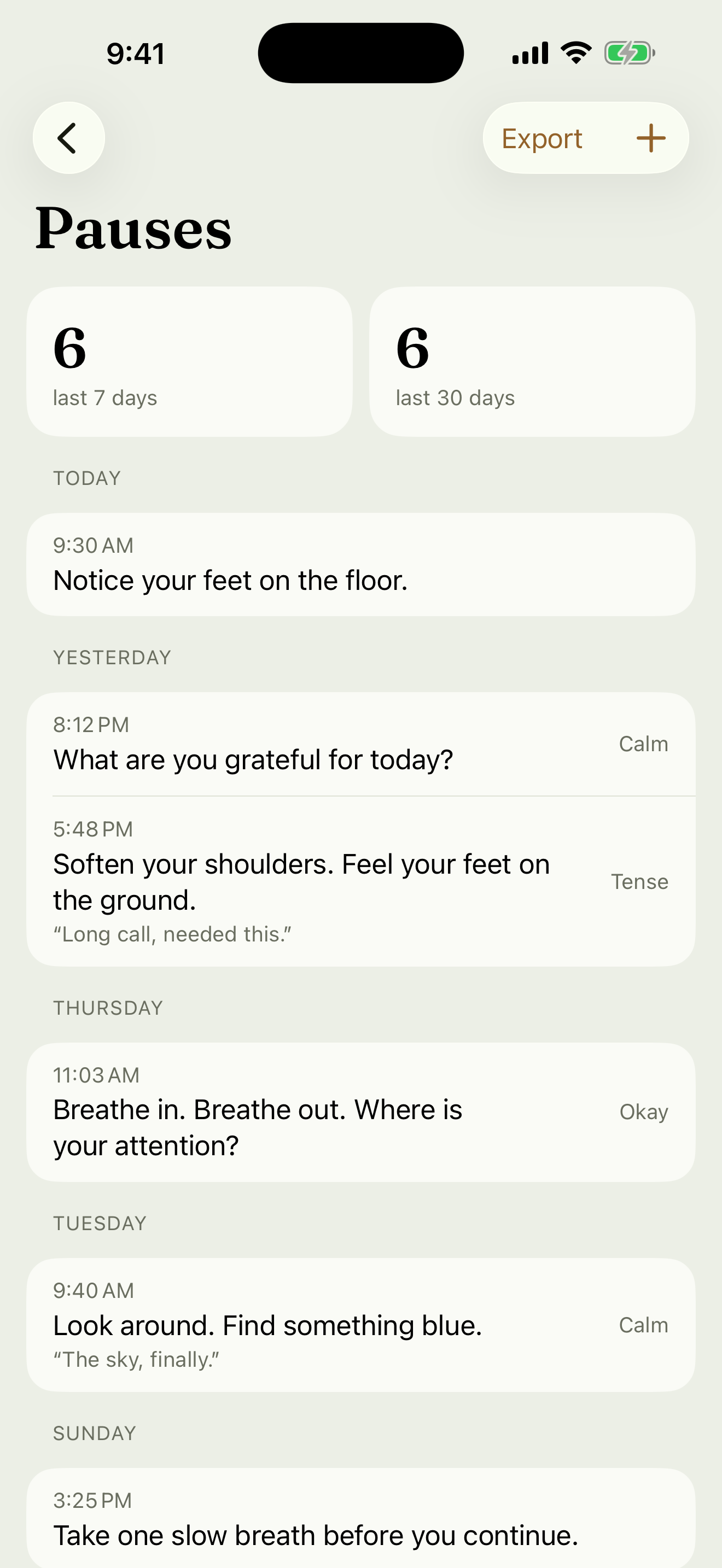
- Paused ✓, Add note or Pause 1 hour, right from the lock screen.
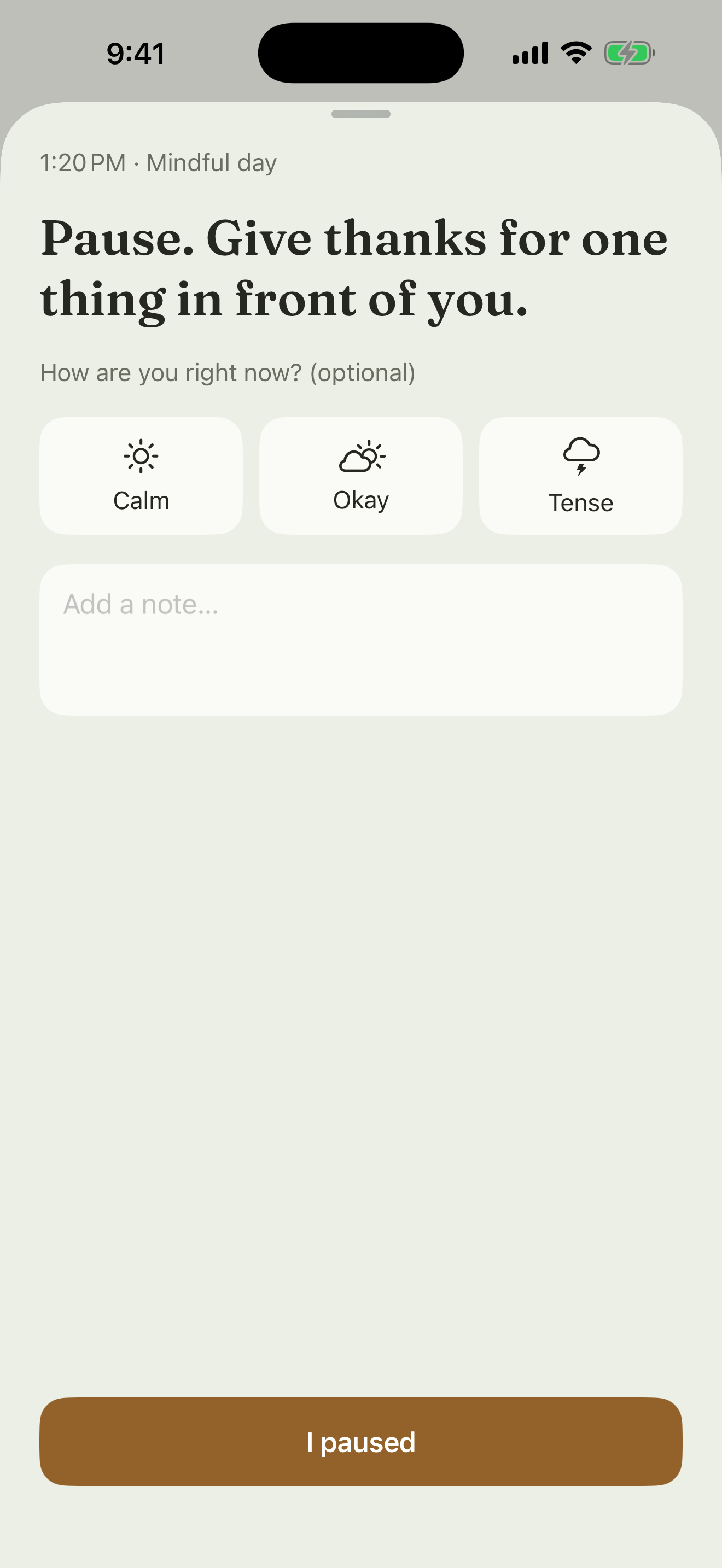
- Calm, okay or tense, and a line about the moment if you want one.
- A quiet log with your last 7 and 30 days. No streaks to keep, nothing to lose.
- Export to CSV whenever you like. It’s free.
Where you already look.
Widgets
Home and lock screen. Bells left today, with Pause right on the widget.
Control Center
Pause bells for a meeting without opening the app.
Siri and Shortcuts
Ring now, Pause, Resume and Log a pause, in any automation.
Nothing you do in Awake Bell leaves your iPhone.
- No account
- Open it and set your hours.
- No servers
- Bells are scheduled on the phone itself.
- No analytics
- We don’t count your taps or your pauses.
- Data Not Collected
- Apple’s privacy label, word for word. Read the policy.
See it
A day of bells, in sixteen seconds.
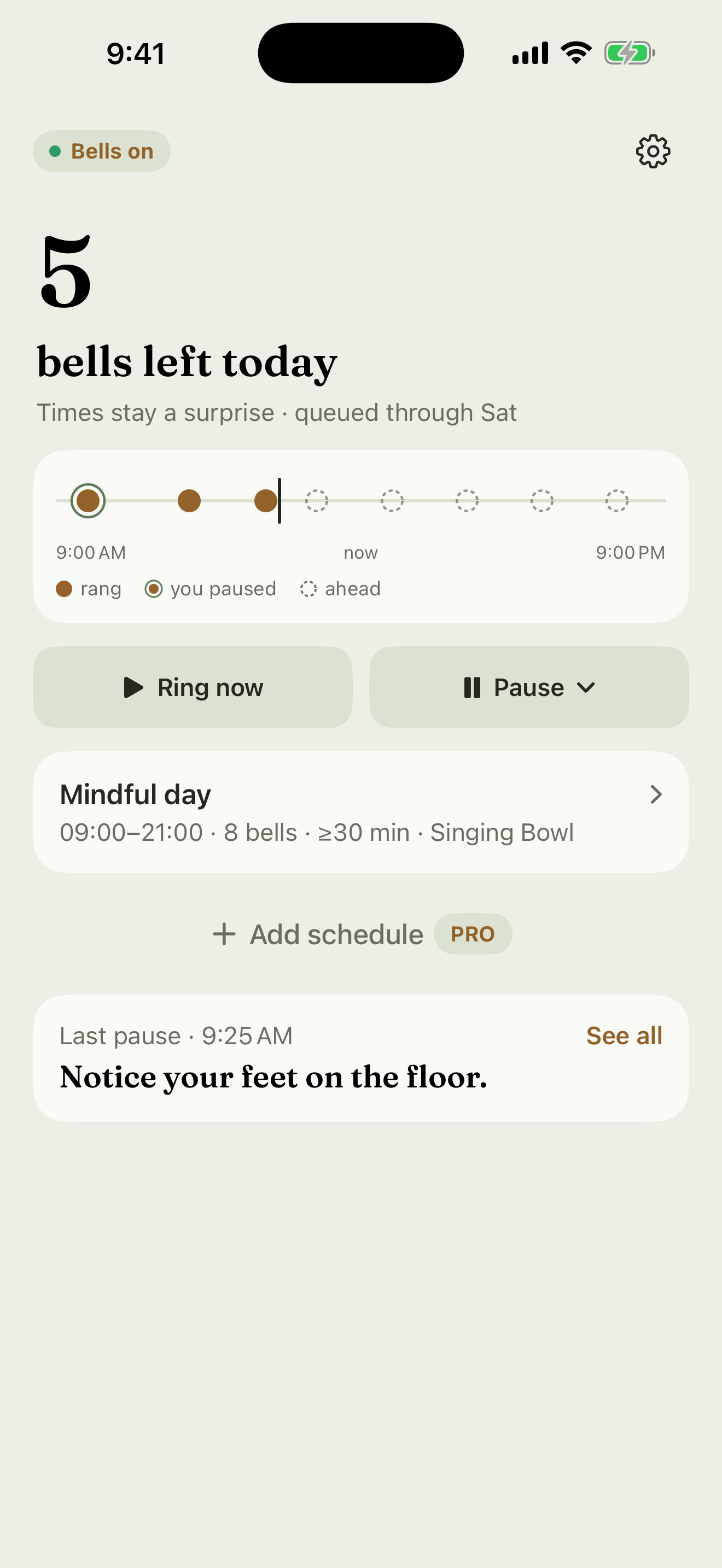
Home shows how many bells are left, never when. Open a schedule to set your hours, how many bells, and how far apart they stay.
Why I made it
Why I made Awake Bell
I wanted a bell that rang a few times a day, at moments I couldn’t see coming, to bring me back to where I was. The apps I tried rang five times in a row, or stopped after a day, or wanted an account. So I made the one I wanted: it rings when it should, keeps ringing, and keeps everything on the phone.
Pricing
Free to use. Pro once, never a subscription.
Free
$0
- 1 schedule, up to 12 bells a day
- Active hours, days, minimum gap and 1 quiet window
- 3 sounds and every built-in prompt set
- 3 prompts of your own
- Check-ins, the 30-day log and CSV export
- Delivery Health, widgets, Siri and Control Center
Awake Bell Pro
$6.99 once
- Up to 5 schedules and 40 bells a day
- All 8 sounds
- Unlimited prompts and quiet windows
- Your full history
- Widget styles
- Family Sharing included
Prices are in US dollars. Your local price is shown in the app before you buy.
Questions
Will it really ring when my phone is locked?
Yes. Bells are scheduled as iPhone notifications days ahead, so they ring with the app closed and the phone in your pocket. If the Silent switch is on you feel the tap but don’t hear the sound.
Is Pro a subscription?
No. Pro is one purchase of $6.99, and Family Sharing is included. Reliability features are free for everyone.
What do you know about me?
Nothing. There is no account and no server, and the app sends nothing to us. Your schedules and pauses stay on your iPhone.
Does it work on Apple Watch or iPad?
Bells show on Apple Watch the way your iPhone notifications do. A Watch app and iCloud sync are planned. On iPad it runs in iPhone layout.
More answers on the Support page.